
Before Your Custom Doll Ships: A Guide to Factory Photo Confirmation
October 25, 2026
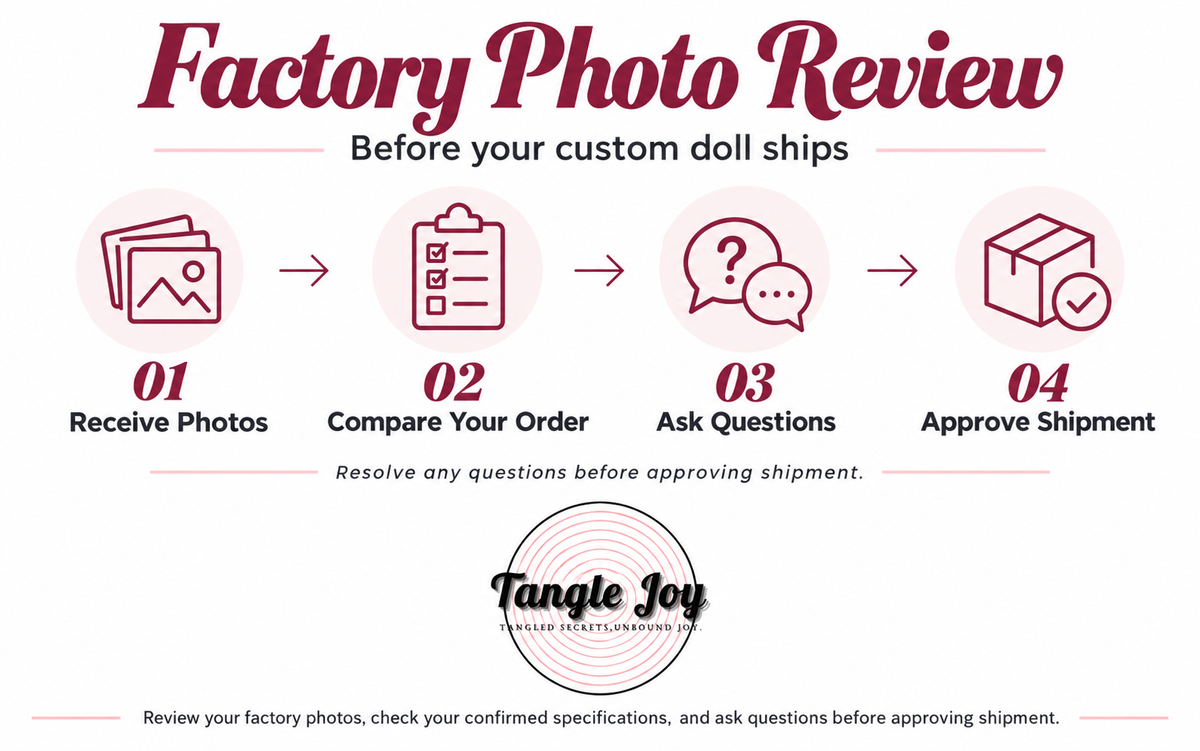
When your custom doll is ready for a pre-shipment review, factory photos give you an opportunity to compare its visible details with your confirmed order.
Knowing what to look for makes this review more useful. This guide explains which details you may be able to check, what photos cannot verify, and how to contact Tangle Joy if something looks different from what you expected.
What Are Factory Confirmation Photos?
Factory confirmation photos show the finished doll before shipment. They help you review its visible appearance against the specifications confirmed for your order.
Depending on the manufacturer and the photos provided, these may include an overall view, close-ups of the head and face, and selected configuration details.
The number of photos, camera angles, lighting, and background can vary. If an important detail is not visible, ask whether an additional photo can be provided.
For custom orders, please review the photos and send any questions before approving shipment.
1. Start With Your Confirmed Order Details
Before reviewing the photos, open your order confirmation and any emails in which your configuration was finalized.
Use those records as your reference. Product listings may show several versions, optional upgrades, styled outfits, or accessories that are not included with every order.
If you discussed a change after checkout, check whether our team confirmed it. A requested change should not be treated as accepted until you receive confirmation.
Your reference checklist may include:
- Brand and model
- Selected body and head
- Skin tone
- Eye color and wig selection
- Makeup preferences, where offered
- Selected options or upgrades
- Included or separately purchased accessories
Some of these details can be reviewed visually. Others require written confirmation or additional information.
2. Review the Overall Appearance
Start with the widest available view.
Check whether the overall appearance is consistent with the model and configuration you ordered. Look for any obvious difference in the selected body, head, or other visible features.
Try to compare similar angles. A close-up taken with a wide-angle phone camera can make proportions look different from a studio photograph. Posing, camera height, and distance also affect appearance.
Factory photos may use simpler lighting and styling than product listing images. Focus first on the confirmed configuration rather than expecting an identical recreation of the promotional photograph.
If something appears substantially different, ask us to check it before you approve shipment.
3. Check the Head, Face, Eyes, and Hair
A clear front view and an angled view can help you review the selected head and facial appearance.
Depending on your order, useful details to check include:
- Whether the head appears consistent with your selected model
- Eye color, if visible clearly enough
- Wig color and hairstyle
- Makeup details that were specifically confirmed
- Any obvious visible marks or damage
Wig placement and styling can affect how the face appears. Lighting can also change the apparent intensity of makeup and eye color.
If you cannot confidently identify a detail, ask for clarification rather than assuming it is correct or incorrect.

Front and angled factory views help you review the selected head, hairstyle, and visible facial details.
4. Review Skin Tone With Lighting in Mind
You can use factory photos to check the general appearance of the selected skin tone, but they cannot establish an exact color match.
Color may look different because of:
- Factory lighting
- Camera exposure and white balance
- Shadows and reflections
- Your screen’s brightness and color settings
Compare the photos with the skin-tone option confirmed for your order. If the difference appears significant, ask our team to verify the option with the factory.
Where available, an additional photo under more neutral lighting may help clarify the appearance. It still should not be treated as a precise color measurement.
5. Check Visible Options and Accessories
Some custom features can be reviewed in photos when they are clearly shown. Others may be hidden, difficult to distinguish, or packed separately.
For each selected option, ask two questions:
- Is this detail visible in the photos?
- If it is not visible, what confirmation is available?
Do not assume that an accessory is missing simply because it is absent from the main photograph. Equally, an item appearing in a photo should not automatically be assumed to be included: factory props, stands, and styling items may be used for presentation.
Check your confirmed order and ask about anything uncertain.
Your Pre-Shipment Photo Review Checklist
Use this checklist while reviewing your photos:
| Item to review | What to check | If it is unclear |
|---|---|---|
| Brand and model | Consistency with the confirmed order | Ask our team to verify the factory’s order record |
| Body and head | Visible appearance matches the selected configuration | Request an additional angle or clarification |
| Skin tone | General consistency with the selected option | Ask for option verification and, where available, neutral-light photos |
| Eyes and wig | Visible color and selected style | Request a close-up |
| Makeup | Specifically confirmed preferences | Identify the detail you would like checked |
| Visible upgrades | Selected external features, where shown | Ask what can be demonstrated or confirmed |
| Accessories | Items included in the order | Request confirmation of the packing contents |
| Visible condition | Obvious marks, damage, or unexpected details | Send an annotated copy of the relevant photo |
A useful review does not require you to identify every detail yourself. If a feature matters to your purchase and you cannot verify it, raise the question before approval.

A front-view factory photo for reviewing visible details against the confirmed order. Intimate areas have been pixelated for public display.
What Factory Photos Cannot Fully Verify
Photos are useful for a visual review, but they are not a complete inspection or performance test.
Exact measurements and weight
Perspective can distort proportions. A standard photo cannot reliably confirm height, individual measurements, or weight.
If a measurement needs clarification, ask whether the factory can provide a measurement photo or another appropriate record.
Material composition and feel
An image cannot establish material composition, softness, firmness, or how the surface feels. These details should be checked against the confirmed product specifications and relevant manufacturer information.
Internal construction and functions
Photos generally cannot verify internal components, joint resistance, or the operation of optional mechanical or electrical features.
Where applicable, ask whether a demonstration video or other confirmation is available. A video may help show a particular function, but it does not replace inspection after delivery.
Exact color and fine surface condition
Small marks, subtle color differences, and details outside the photographed areas may not be visible. Image resolution and lighting can also conceal or exaggerate surface features.
Condition after transport
Pre-shipment photos document the appearance at the time they were taken. They cannot confirm the condition of the parcel or product after handling and delivery.
You should still inspect your order when it arrives and retain the packaging while checking it.
What to Do if Something Looks Different
Contact service@tanglejoy.com before approving shipment.
To help us review your concern, include:
- Your order number
- The specific configuration detail you are asking about
- The relevant factory photo
- The order confirmation or email showing the agreed specification
- A short explanation of the difference you see
If helpful, mark the area on a copy of the photo with a circle or arrow. Keep the original image as well.
You can use this message:
Subject: Factory Photo Review — Order [Your Order Number]
Hi Tangle Joy,
Thank you for sending the factory photos. Before I approve shipment, could you please check the following detail?
Confirmed specification: [The option confirmed for your order]
What I noticed: [A brief description]
Photo reference: [The relevant image or marked area]Please let me know whether an additional photo or clarification is available. I have not yet approved shipment.
Thank you.
We can then review the concern against the confirmed order details and check with the factory. Whether a correction or change is possible depends on the issue and the stage of the order. Please wait for our response rather than assuming a requested adjustment has been accepted.
Approving Your Photos
When you are satisfied with the visible details and your questions have been answered, reply clearly to the photo-confirmation email.
For example:
I have reviewed the factory photos and approve shipment of my order.
If you still have an unresolved question, state it clearly and wait for clarification before sending approval.
Photo approval is a pre-shipment visual review. It does not replace checking the delivered product or contacting us about an issue discovered after arrival. Please refer to our Store Policy & Help Center for the applicable order-issue process and reporting requirements.
Frequently Asked Questions
Will my doll look exactly like the product listing photos?
Factory photos and listing photos may use different lighting, poses, wigs, and styling. Review the doll against your confirmed specifications, and ask about any substantial difference you notice.
Can I request more photos?
Yes, you can ask. Tell us which detail or angle you need. Availability depends on the manufacturer and the stage of preparation.
What if an accessory is not shown?
Ask us to confirm whether it is included and how it will be packed. An accessory may be packed separately or omitted from the main photo.
Can I change my configuration during photo review?
A configuration change is different from correcting a mismatch with the confirmed order. Contact us to discuss the request. Changes may be limited once production is complete and require review before they can be accepted.
Do factory photos replace my delivery inspection?
No. Inspect the packaging and contents after delivery. If anything appears damaged, incorrect, or incomplete, document it and contact us promptly according to our published policies.
Need Help Reviewing Your Factory Photos?
You do not need to approve a detail you do not understand. Send your question to service@tanglejoy.com with your order number and the relevant photo so we can help clarify it.
For an overview of the full purchase process, read What Happens After You Order from Tangle Joy?
Ready to find your doll?
Shop Ready to Ship